 Marco Sebastiano Alessi |
April 7, 2026
Marco Sebastiano Alessi |
April 7, 2026


In video post-production, cuts are an everyday technique for creating scenes and telling your story. It’s an abrupt cut in a clip to create a sudden transition between two shots. Cuts are used to represent the passage of time and space and to move the narrative forward.
There are several types of cutting techniques to use, depending on what you are trying to achieve, both cinematically and story-wise. Today, we’ll discuss the match cut technique. This is a video editing cut that can enhance your storytelling in your films and video content with dynamic transitions.
What is a Match Cut
A match cut is a film editing technique where a shared element, be it visual, auditory, or thematic, smoothly carries the audience from one scene into the next. The transition feels natural because the scenes are connected, which allows editors to maintain continuity, compress time, or enhance thematic connections, like in the famous transition from a bone to a spaceship in 2001: A Space Odyssey.
A match cut creates a transition with a deeper connection and meaning between the previous scene and the next, resulting in more emotional impact than a typical cut. A match cut can be dramatic or so subtle that viewers barely notice, but it delivers the message.
A match cut, like other editing techniques, requires planning. Usually, these are planned as early as during shooting or scripting rather than in post-production. You can combine basic cuts, transitions, and other effects in your videos to keep the story's flow going and allow your audience to follow it seamlessly.
What is the Purpose of a Match Cut?
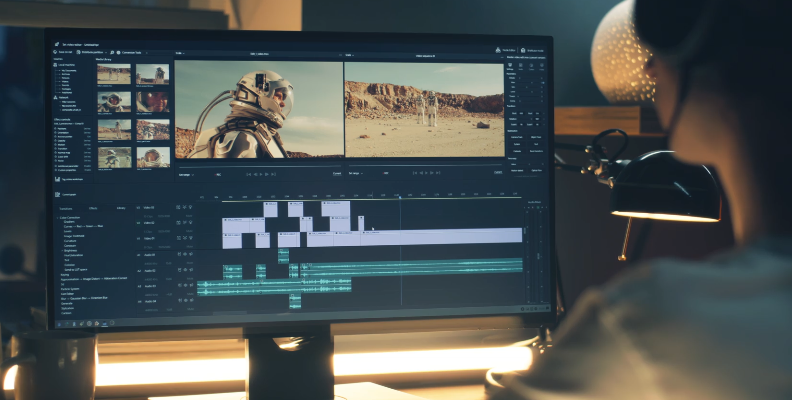
A match cut's purpose is to add an extra layer of connection between two scenes that goes beyond a simple cut. A match cut is used to compare or contrast two scenes in a smooth, planned transition. I will break down a few reasons to use a match cut on your videos, especially for films where you want ot enhance your storytelling.
Visual Metaphors
Use a match cut to generate visual metaphors and add more symbolism to your shots by matching two similar images or shapes that share a theme. It can be a symbol, an idea present throughout the film, or something meaningful to the characters in the scene.
Create Emotional Impact
You can enhance a scene's feeling by matching two elements that evoke emotion in your storyline to add more drama, suspense, fear, empathy, and joy. It can also be used to make a sudden shift in emotion from one scene to another, connected by a subject or element that appears in both scenes.
Passage of Time
A match cut can create a jump through time between two different points in your sequence. You can make the jump slow and smooth by using a dissolve, or you can do a straight cut to make a dramatic effect.
Create Narrative Momentum
During an action scene, a match cut can build momentum by linking several clips to highlight the action.
Smooth Transition
Lastly, you can use a match cut to create a smooth transition. Sometimes it doesn’t need a deeper meaning or connection. The story needs to flow and keep your viewers immersed and engaged.
Different Types of Match Cuts
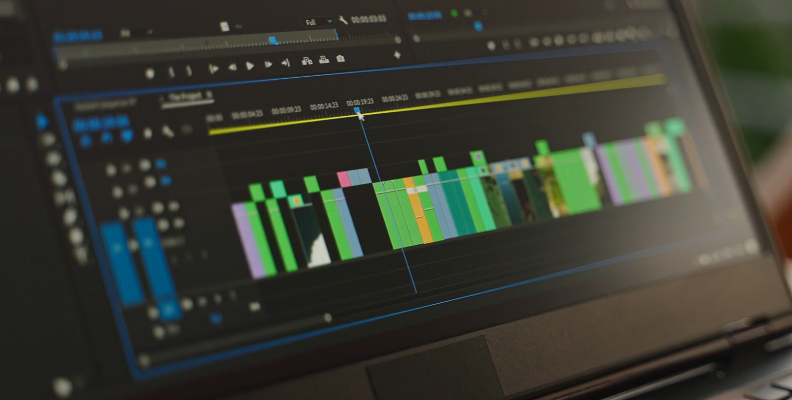
Now, let’s talk about the different types of match cuts. There are three types of match cuts that can help you make immersive films, evoke emotions, and keep your audience's attention.
Graphic Match Cut
A graphic match cut uses visual elements on the scene, such as shapes, imagery, colors, symbols, and ideas, that are matched in the transitions between scenes. A graphic match cut allows you to combine two scenes around a common element, then transition by keeping that shape or element between the two shots.
Movement Match Cut
A movement match cut uses movement and actions to transition between two scenes. It can be a camera movement, body movements such as turning around, actions such as opening doors, or pass-by effects with fast-paced transitions, such as a car or train passing across the screen. This type of match cut can help you create momentum for an action scene or carry the camera movement to a different location with a related theme.
Audio Match Cut
When it comes to audio transitions, you can make a match cut by using audio from one scene to another. An audio match cut can support your video match cut (graphic and movement) and connect two shots by sounds that are similar but do not necessarily match the image. For example, the whistling sound of a kettle boiling transitions to a high-pitched sound in the next scene, not necessarily another boiling kettle.
Additionally, you can combine the transition with the regular sounds bridge technique using J-cut and L-cut. With a J cut, the audio from the previous video continues into the next one. With an L cut, the audio from the next video starts before the video begins.
In summary, we have three match cut types:
Graphic match cut: match shapes, objects, colors, symbols, ideas, subjects, and composition.
Movement or action match cut: match actions, movement, and camera movement.
Audio match cut: match sound effects, music, voice over, dialogue.
Famous Examples of Match Cuts in Film
To exemplify what we just discussed, here are some match cuts from popular films. Have you noticed them before?
Lawrence of Arabia
The famous cut in the movie Lawrence of Arabia is considered one of the best cuts of all time. In this scene, the transition goes from a close-up shot of the match to a wide shot of the sun.
2001: A Space Odyssey
Another great example is the classic scene in 2001: A Space Odyssey, where the ape throws the bone into the air and then transitions with a match cut to a satellite in space with a similar shape millions of years later.
Titanic
At the beginning of the movie, a graphic match cut is used in the scene where old Rose begins to share her story. The scene shifts from the sunken Titanic to a flashback of the Titanic in all its glory. This creates a time-jump to the past.
UP
During the opening scene in Up, the last scene transitions from the funeral to Carl standing up and turning to walk into his now empty house. This is a powerful scene that emphasizes the protagonist's loss.
Psycho
In the shower scene, the match cut transitions from the swirling water to the circular eye. An example of a graphic match cut that matches the shape of the water and Marion’s eye, symbolizing the draining of her life.
How to Match with Boris FX
Boris FX Continuum is a plugin suite that offers over 300 effects, 40 video transitions, and thousands of presets, optimized to deliver fast performance across many compatible hosts, including Premiere Pro, After Effects, Vegas Pro, DaVinci Resolve, and Avid Media Composer. You can follow this part of the tutorial with a Continuum free trial.
Step 1: Import Video Footage
Import your video clips into your host and arrange them in the timeline to create the sequence, making basic cuts and trims to build the narrative of your scene.
Note: We'll be using Adobe Premiere Pro as our host for this specific example. Please note that Continuum works with many other editing programs, and the method will be very similar, if not exactly the same, besides the software interface differences.

Place the two scenes together where you want to make a match cut.
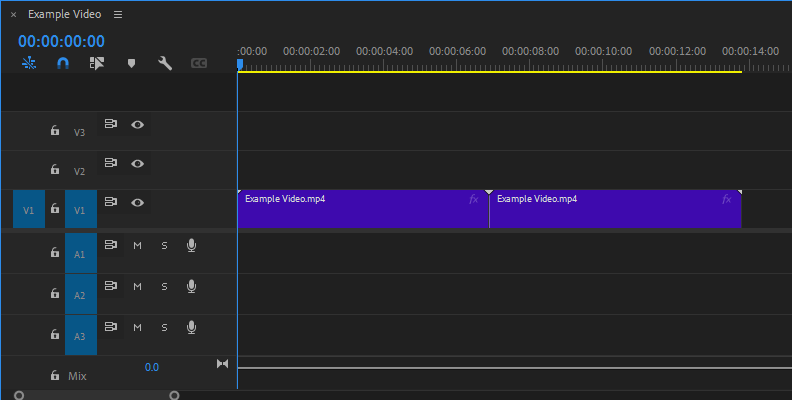
Remember that match cuts have a purpose in the story. If you did not plan the match cut, it can be hard, but not impossible, to achieve. Look for something that can add a meaningful connection in your story.
Step 2: Add a BCC Transition
Once you have the position of your clips to match cut, add a BCC transition to smoothly switch to the next scene. Continuum features several video transitions, including dissolves, wipes, dynamic film rolls, and other 3D transitions.
Find them in your Effects library under Video Transitions > BCC Transitions.
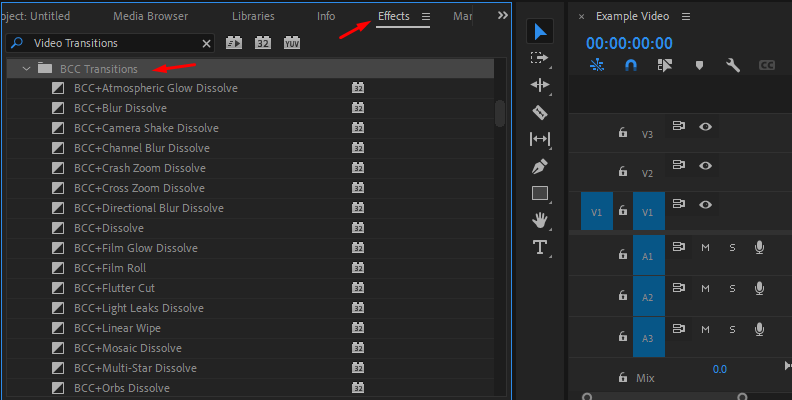
Select one and drag it between the two clips where the match cut is.
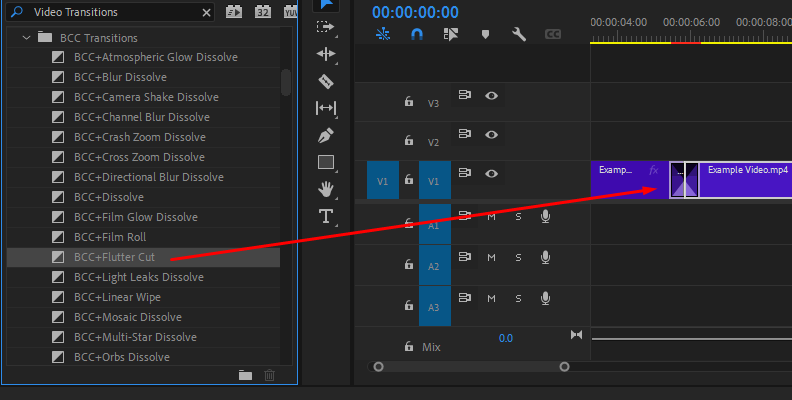
You can open the FX Editor from the effects panel and choose from different presets and customize the transition.
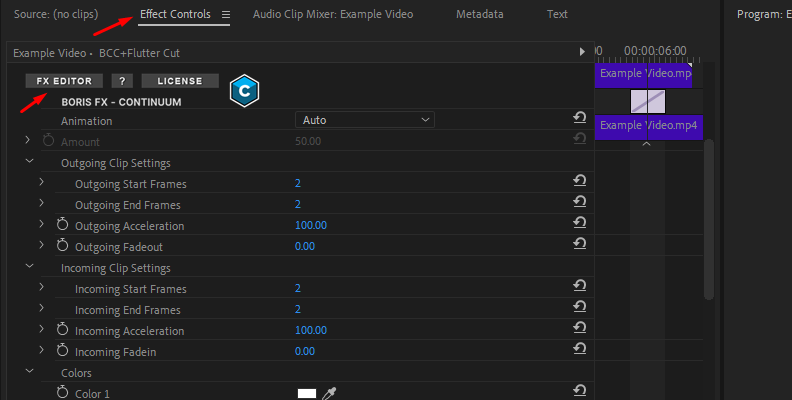
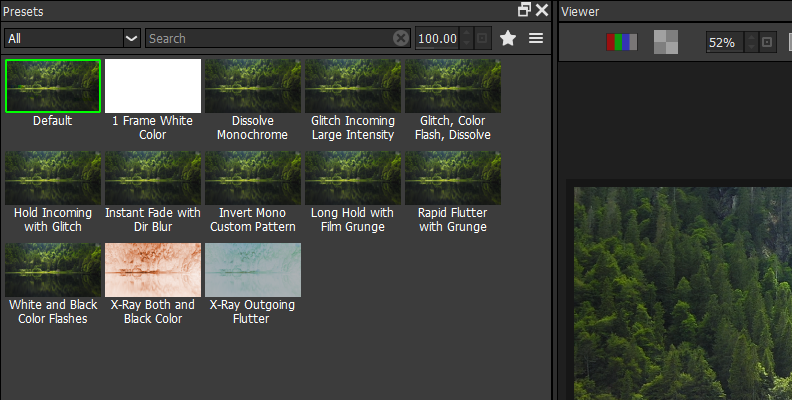
Step 3: New AI-Powered Transitions
The latest version of Continuum features two brand AI-powered transitions: Jump Cut Fixer ML and Depth Wipe ML.
The Jump Cut Fixer ML transition uses AI-driven optical flow to dissolve the two clips seamlessly. It helps you hide harsh pauses and jarring cuts, resulting in cleaner jump cuts.
The Depth Wipe ML transitions use AI-generated depth maps to create a perfect wipe from foreground to background, resulting in a more dynamic, cinematic transition.
Find these transitions in the BCC Transitions folder and drag them to your clips. You can adjust the length of the transition as you would any regular transition.
Final Words
Match cut is a wonderful way to connect scenes that can enhance your films in many ways. It’s not complicated technically, but if it’s not planned, it can result in a cut with no "soul". A match cut requires attention to detail and the ability to catch subtleties, adding more to the scene than what's being acted or said.
If you’re looking for a tool to create more customized and complex dissolves and wipes to amplify your match cuts, try Continuum and get hundreds of other filters for your films.
Good luck!
FAQ
Match Cut vs Jump Cut: Main Difference
A jump cut is a technique that creates an abrupt change of scenes to skip forward. It creates a more abrupt, fast-paced transition than the match cut, which is smoother and used to establish a connection between the two scenes.
Match Cut vs Smash Cut
The smash cut is a jarring transition that contrasts the two scenes, often shifting the tone from fast-paced to calm, unlike a match cut, which aims to connect the two scenes and maintain the same theme.